PhotoshopQuick TipsTools Photoshop Quick Tip: Using Quick Mask to Modify Selections The Quick Mask feature is very helpful for a quick preview of your active selection, or to use painting tools such as the Brush to ... Chris Main July 13, 2022 0
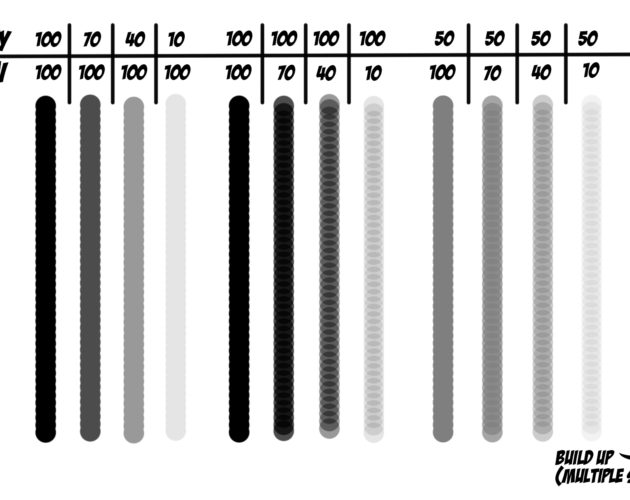
Tools Flow vs. Opacity Do you know the difference between the Opacity and Flow sliders when using the paintbrush tool? Here is a quick illustration to show what is ... Aaron Westgate January 20, 2016 0
EffectsLayersPhotoshopTools Creating a Compelling Photo Composite in Adobe Photoshop CC Creating a compelling photo composite is as much about finding the right assets as it is about the process of blending them together. If you're ... KelbyOne August 26, 2015 0
EffectsPhotoshopTools Create Repeating Segments with the Mixer Brush in Photoshop CC One of the secret powers of the Mixer Brush is that it can sample multiple colors or even pixels to use for its stroke. This ... August 12, 2015 0
EffectsPhotoshopTools Scorched Neon Effect Using the New Flame Filter in Photoshop Adobe keeps slipping fun new features into each new release of Photoshop CC. In a recent release, they quietly unveiled a Flame filter that can ... January 14, 2015 0
PhotoshopTools Extracting Transparent Elements In today’s tutorial, we’ll make quick work of extracting a busy, transparent water splash element from a white background using channels. August 27, 2014 0
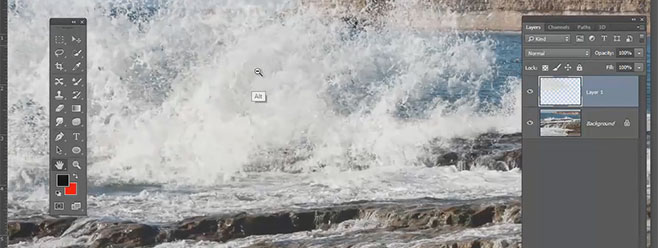
PhotoshopTools Create a Wave Brush with Photoshop’s Mixer Brush Stephen Burns discusses the new mixer brush in Photoshop and how it can be used to create a brush from an image with full color ... Aaron Westgate August 19, 2014 0
EffectsPhotoshopTools The Evolution of 3D Text in Photoshop Several years ago, Adobe had an interesting little application called Adobe Dimensions. This standalone program was limited yet powerful, as it could create 3D PostScript ... July 29, 2014 0