CloudFlare provides web performance and security solutions, enhancing site speed and protecting against threats.
Service URL: developers.cloudflare.com (opens in a new window)
cf_ob_info
The cf_ob_info cookie provides information on: The HTTP Status Code returned by the origin web server. The Ray ID of the original failed request. The data center serving the traffic
session
__cfseq
Sequence rules uses cookies to track the order of requests a user has made and the time between requests and makes them available via Cloudflare Rules. This allows you to write rules that match valid or invalid sequences. The specific cookies used to validate sequences are called sequence cookies.
session
cf_clearance
Whether a CAPTCHA or Javascript challenge has been solved.
session
_cfuvid
The _cfuvid cookie is only set when a site uses this option in a Rate Limiting Rule, and is only used to allow the Cloudflare WAF to distinguish individual users who share the same IP address.
session
__cflb
When enabling session affinity with Cloudflare Load Balancer, Cloudflare sets a __cflb cookie with a unique value on the first response to the requesting client. Cloudflare routes future requests to the same origin, optimizing network resource usage. In the event of a failover, Cloudflare sets a new __cflb cookie to direct future requests to the failover pool.
session
__cf_bm
Cloudflare's bot products identify and mitigate automated traffic to protect your site from bad bots. Cloudflare places the __cf_bm cookie on End User devices that access Customer sites that are protected by Bot Management or Bot Fight Mode. The __cf_bm cookie is necessary for the proper functioning of these bot solutions.
session
__cfruid
Used by the content network, Cloudflare, to identify trusted web traffic.
session
cf_chl_rc_m
These cookies are for internal use which allows Cloudflare to identify production issues on clients.
session
cf_chl_rc_ni
These cookies are for internal use which allows Cloudflare to identify production issues on clients.
session
cf_chl_rc_i
These cookies are for internal use which allows Cloudflare to identify production issues on clients.
session
__cfwaitingroom
The __cfwaitingroom cookie is only used to track visitors that access a waiting room enabled host and path combination for a zone. Visitors using a browser that does not accept cookies cannot visit the host and path combination while the waiting room is active.
session
cf_use_ob
The cf_use_ob cookie informs Cloudflare to fetch the requested resource from the Always Online cache on the designated port. Applicable values are: 0, 80, and 443. The cf_ob_info and cf_use_ob cookies are persistent cookies that expire after 30 seconds.
session



I can’t believe you did this .. and awesome tutorial! 😀
Nice tut, nice game… tnx
Nice Video 🙂 Thanks for taking the time to make these vids. i use them alot for projects that i wook on inn school and for fun. keep up the great vids!
thanks for sharing =)
Awesome tutorial. Thanks for sharing
nice! i have created the modern warfare 1 log.
But yours is better.
http://i231.photobucket.com/albums/ee91/0Masterblaster0/modrnwarfarefont.jpg
very nice
Cory you are, as far as I am concerned, one of the best if not the best Photoshop instructor that I have seen on the web. Burt Monroy is, and I am sure you would take this as a complement, the only other I have seen, that compares to you. I think Dave Cross is very good, Matt is not bad, and that other guy, that is on that photoshop show is so,so. But you make this stuff, not only interesting but fun, Thanks for all that you do, Doug
Corey – Always looking forward to each new tut! The ideas and methods are great learning tools for adding to skills and creativity.
I also located the actual site for the game, and there are several variants in the different wallpapers. Now I can take this tut as a starting point and work on achieving different looks as found on the various wallpapers….More practice, more better….
Thanks!
I only wish that I could get the picture that you used in this tutorial. As always great job Corey.
great tutorial. this is just an idea but i think it would be pretty awesome if you could somehow make a tutorial on creatin and animation of those green letters and numbers that fall down in the movie The Matrix. anyways great job like always.
epic tutorial!…but where did u get the font?
what is the name of the text used
Mo betta blammo!
Happy Holidays, Corey!
Corey if only you were as good at Call of Duty as you are at Photoshop. Buy an Xbox already.
I’ve created the end of the trailer in after effects.
That is almost the same as this tutorial.
But im very proud on it, here is the link.
http://www.youtube.com/watch?v=nElykfgt_bU
greetz,
Fabian
Nice one.
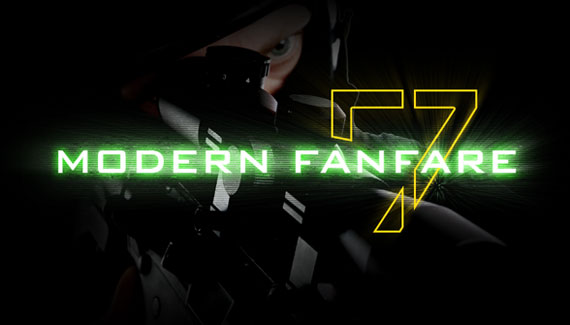
Would you give me the name of the font used for “Modern Fanfare” and the “7” pleaase?
Thx
Muy buen video saludos desde Chile !
Where get you download the font for free?
Thanks for this!!!!
Thank you very much for the lesson! Trying this right now.
Corey, you are my hero.
Merci
Corey,you are my hero
Email yokrae_10@hotmail.com
WEll very awesome videos. but i have not set up adobe photoshot cs4 at all.. i mean i couldnt even scale with normal tool….
Could you please send me your adobe photoshop all settings… so i wont have problems
PLease.
il be waiting.
I really do love your tutorial video and I always do follow in every step that you said. So for my final result is like this http://img200.imageshack.us/img200/1640/mwarfareb.jpg. My pictures is different from yours (S.W.A.T) is much more difficult to find the pictures so decided to find another picture which is the same sniping posing that makes fit. So instead of S.W.A.T is National Guard Army (my pictures).
wher can i download pic of police man (SWAT)?
Whats the size and font
When you said that take the marquee tool here and select it, and simply fill it with black. What do u mean. Do I just select a part and hit delete or backspace or choose the black colour. I am confused so plz help ASAP. Nice video though.
Hello Corey,
Your tutorial is fantastic, but I am stuck on one step.
My sketch filter tool is unclickable/I cannot select it. I tried a number of solutions as of how this had come to be, but I can’t find a solution. Is there any way that you know of how I can fix it?
how come i cant see the videos am i missing a plunging on something
what are the fonts used??
Dude, you’re good! Thanks for sharing!
Ya, near the beginning when you say to fill the layer thats abouve the word =, fill with 50% gray and then use filter-sketch. For some reason i’m not able to choose sketch. Why?
Please respond.
man you are the best i really like your tutorials they are great please keep posting more videos please and i would liek to know how to make bling letters please put a tutorial
thank you so much this my edit
love this guide 🙂 but to be admitted I changed I utterly (font and sniper-pic) used a pic I took myself and photoshop’d and putted it as bg, now using it in CS:S xD