CloudFlare provides web performance and security solutions, enhancing site speed and protecting against threats.
Service URL: developers.cloudflare.com (opens in a new window)
cf_ob_info
The cf_ob_info cookie provides information on: The HTTP Status Code returned by the origin web server. The Ray ID of the original failed request. The data center serving the traffic
session
__cfseq
Sequence rules uses cookies to track the order of requests a user has made and the time between requests and makes them available via Cloudflare Rules. This allows you to write rules that match valid or invalid sequences. The specific cookies used to validate sequences are called sequence cookies.
session
cf_clearance
Whether a CAPTCHA or Javascript challenge has been solved.
session
_cfuvid
The _cfuvid cookie is only set when a site uses this option in a Rate Limiting Rule, and is only used to allow the Cloudflare WAF to distinguish individual users who share the same IP address.
session
__cflb
When enabling session affinity with Cloudflare Load Balancer, Cloudflare sets a __cflb cookie with a unique value on the first response to the requesting client. Cloudflare routes future requests to the same origin, optimizing network resource usage. In the event of a failover, Cloudflare sets a new __cflb cookie to direct future requests to the failover pool.
session
__cf_bm
Cloudflare's bot products identify and mitigate automated traffic to protect your site from bad bots. Cloudflare places the __cf_bm cookie on End User devices that access Customer sites that are protected by Bot Management or Bot Fight Mode. The __cf_bm cookie is necessary for the proper functioning of these bot solutions.
session
__cfruid
Used by the content network, Cloudflare, to identify trusted web traffic.
session
cf_chl_rc_m
These cookies are for internal use which allows Cloudflare to identify production issues on clients.
session
cf_chl_rc_ni
These cookies are for internal use which allows Cloudflare to identify production issues on clients.
session
cf_chl_rc_i
These cookies are for internal use which allows Cloudflare to identify production issues on clients.
session
__cfwaitingroom
The __cfwaitingroom cookie is only used to track visitors that access a waiting room enabled host and path combination for a zone. Visitors using a browser that does not accept cookies cannot visit the host and path combination while the waiting room is active.
session
cf_use_ob
The cf_use_ob cookie informs Cloudflare to fetch the requested resource from the Always Online cache on the designated port. Applicable values are: 0, 80, and 443. The cf_ob_info and cf_use_ob cookies are persistent cookies that expire after 30 seconds.
session



Kool stuff Corey…..Thanks!!!!
Thanks Corey! Can’t wait to try this tool…beats using channels!
Cory. Most excellent tool. Too bad they didn’t come out with this tool years ago I would probaly have more hair now. Things are getting easier now. Thanks for the tut
Thanks Corey, can’t wait to go try it myself.
I really liked when you dropped him into the new image and he was huge, this was a nice effect, he covered most of the canvas. I think this would be a nice effect, too.
Nice cory thanks
Thanks Cory, your a master!
Very enlightening and useful!! Thank you so much!
This is CS5’s best improvement!
Corey gives the best explanation and demonstration of Refine Edge magic.
Combined with the Quick Selection tool it can now take under one minute to accomplish what used to consume hours of meticulous carpal tunnel grind work.
Oh, the lost days. Oh, the lost days.
Fantastic Cory! Thanks for this! Worth the price of PS, alone! haha
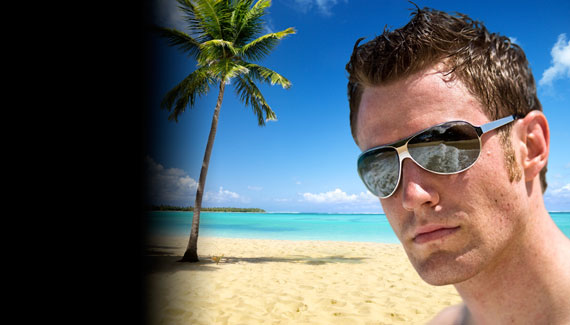
Great tutorial! I was just wondering if you or anyone knows a way to get a picture to look like the subject did. With the background in his shades and just the overall feel of the image makes it seem as if it was taken by a professional.
I love that tutorial. Now can you take the newly composited image and change the reflection in his sunglasses to be sand instead of the waves, since the ocean is behind him. Just a thought. thanks corey.
This is Photoshopped. I can tell by some of the pixels. and I have seen a few shopped photos in my time.
Such a very,very useful tuition Corey,many,many thanks
Now i understand how it works! Thanks
I find that when a subject is against a complex background, PS (even with the new tools) still has an enormous amount of difficulty extracting a subject with hair. It seems that refine edge works best with subjects against a single color background, and if the image doesn’t have that setup, we’re still stuck using a laborious combination of selection/extraction methods.
good teacher
Thank you for plain and simply tutorial!
This was really great! Thank you!!
Please explain how refine edges actually work?