
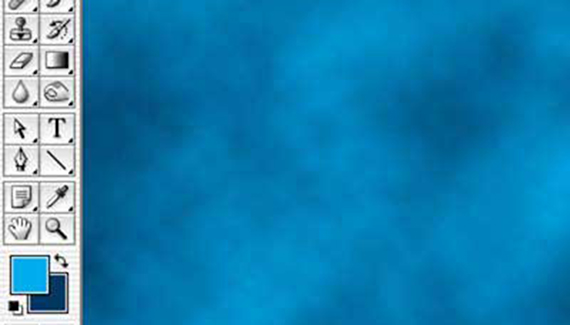
Fill a swimming pool with water in seconds! Well, create the appearance of a swimming pool filled with water in Photoshop in just four steps. We’ll use the Clouds, Crystallize, Gaussian Blur, and Glass filters to create rippling water. Make your foreground color a light blue and the background color a dark blue. Create a new image, or add a layer, or make a selection. Filter> Render> Clouds. (This filter has no user-definable settings and so is applied without a dialog box.)
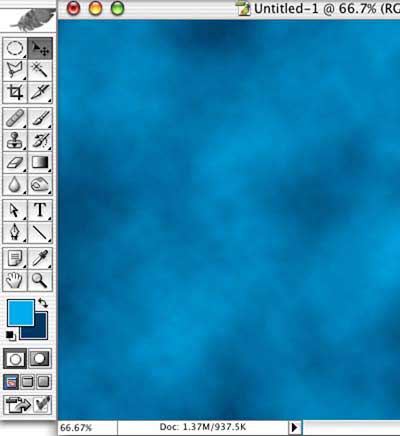
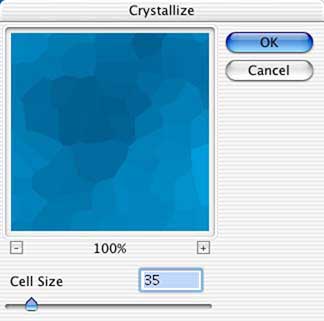
Filter> Pixelate> Crystallize. Use a Cell Size setting appropriate for the size of your image. For a low-resolution, relatively small image, a Cell Size of 25-40 is adequate. Larger images will require a higher setting.
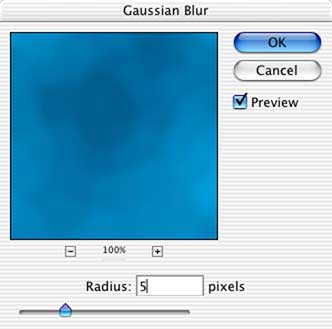
Applying a Gaussian Blur softens the cells created with the previous filter. For this image, a radius of five pixels is suitable. For larger images, a more substantial blur is necessary. The goal is to blur not only the edges of the cells, but to soften the appearance generally.
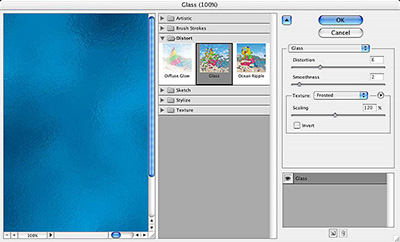
We’ll add ripples to the perceived surface of the water with the filter Distort> Glass. In Photoshop CS, the Filter Gallery will open. In earlier versions of Photoshop, the Glass dialog box will open. The options are the same, only the interface differs. The values for the Distortion, Smoothness, and Scaling depend on your image size. However, regardless of image size, the Texture pop-up menu should be set to Frosted.
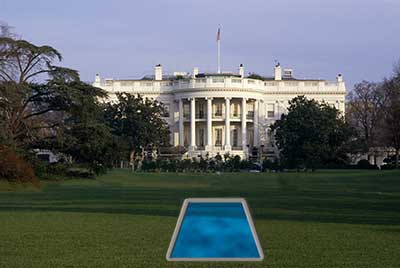
Add a “see-ment pond” (for those old enough to remember “The Beverly Hillbillies” or add a new layer, create a selection around the outside of the water, fill with color, apply a texture or grain, and add a bevel layer style that mimics the lighting in the image.


WOW!!! Fast and effective
very nice
Ha! Pretty cool 🙂
the perspective is way off
Looking good
Using noise and motion blur to 50 pix is a much better looking effect
good sir, i want to know how to make real fire animaton