CloudFlare provides web performance and security solutions, enhancing site speed and protecting against threats.
Service URL: developers.cloudflare.com (opens in a new window)
cf_ob_info
The cf_ob_info cookie provides information on: The HTTP Status Code returned by the origin web server. The Ray ID of the original failed request. The data center serving the traffic
session
__cfseq
Sequence rules uses cookies to track the order of requests a user has made and the time between requests and makes them available via Cloudflare Rules. This allows you to write rules that match valid or invalid sequences. The specific cookies used to validate sequences are called sequence cookies.
session
cf_clearance
Whether a CAPTCHA or Javascript challenge has been solved.
session
_cfuvid
The _cfuvid cookie is only set when a site uses this option in a Rate Limiting Rule, and is only used to allow the Cloudflare WAF to distinguish individual users who share the same IP address.
session
__cflb
When enabling session affinity with Cloudflare Load Balancer, Cloudflare sets a __cflb cookie with a unique value on the first response to the requesting client. Cloudflare routes future requests to the same origin, optimizing network resource usage. In the event of a failover, Cloudflare sets a new __cflb cookie to direct future requests to the failover pool.
session
__cf_bm
Cloudflare's bot products identify and mitigate automated traffic to protect your site from bad bots. Cloudflare places the __cf_bm cookie on End User devices that access Customer sites that are protected by Bot Management or Bot Fight Mode. The __cf_bm cookie is necessary for the proper functioning of these bot solutions.
session
__cfruid
Used by the content network, Cloudflare, to identify trusted web traffic.
session
cf_chl_rc_m
These cookies are for internal use which allows Cloudflare to identify production issues on clients.
session
cf_chl_rc_ni
These cookies are for internal use which allows Cloudflare to identify production issues on clients.
session
cf_chl_rc_i
These cookies are for internal use which allows Cloudflare to identify production issues on clients.
session
__cfwaitingroom
The __cfwaitingroom cookie is only used to track visitors that access a waiting room enabled host and path combination for a zone. Visitors using a browser that does not accept cookies cannot visit the host and path combination while the waiting room is active.
session
cf_use_ob
The cf_use_ob cookie informs Cloudflare to fetch the requested resource from the Always Online cache on the designated port. Applicable values are: 0, 80, and 443. The cf_ob_info and cf_use_ob cookies are persistent cookies that expire after 30 seconds.
session
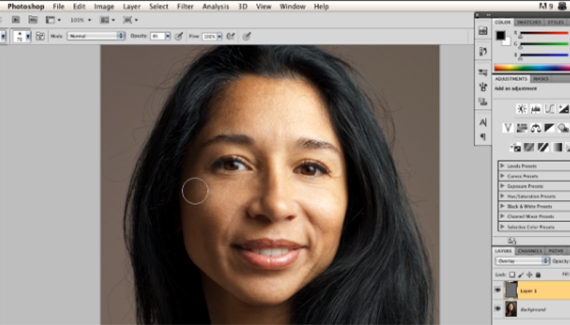



Nice approach to photo retouching. Larry’s presentation style is a good complement to Corey’s.
Great tip Larry. Thanks!
Excellent information. I appreciate the shortcuts you mention and the review at the end. This is a technique I never would have thought of. Well done!
Nice and shiny tutorial, quite cool result and taking into account the fact that the photo isn’t basically touched at all …
Thank you 🙂
Larry,
I have used that method, but what I have come to like is using a gray layer and two curves layers. One set to multiply the other to screen. This way I can adjust the burn or dodge opacity individually or since they are in a group together. Plus if I make a mistake since I’m painting on a mask I just have to paint back over the error with either black or white.
PS:Have you thought putting video to this blog to keep the people more interested?I think it works.
I have recently learned this technique with a twist. Instead of using the brush tool on the overlay layer, I use the burn or dodge tool. You get the same controlled effect that works very nicely.
Thank you for the video, it was very informative. There is so much to photoshop, its great when you can find videos that help explain how things work and how to do them.
Nice work Larry !! it’s always nice to have a different tutorial. This one is a good one for people who like to work with photos. Give us more. thanx
That is a great tecnique thank you very much.
Cool technique, I like the effect it gives. I probably won’t use this method for retouching my portraits because it affects the skin tone but I might use this effect intentially for something down the road.
Another technique in the arsenal. Thanks!
BTW beautiful model too! 🙂
Great tip, I’ve always done something similar using soft light mode instead of overlay I’ll have to give this method a try and compare.
Thank you very much! I think this method beats the one I was taught for sure. I’ll be using that way now. Thank you for sharing and helping a student like me!
Wonderful tutorial
Makes me want to go play around with some photos. I have used mostly clipping masks or overlayed the actual photo on top of the original when retouching photos. This is a new technique i am going to try out, like today. I like that, simple, with great results.
Great tut Larry.
Great tips, thanks Larry
Very Good
Maybe it’s me, but that was Kelby, not Becker.
Great alternate tip, regardless.