Learn how to create a effect that will give a room the appearance of rays of light coming through the windows.
Posted by Corey Barker
Corey is the newest education and curriculum developer for the National Association of Photoshop Professionals. He is a graduate of the Ringling School of Art & Design in Sarasota, Fl, with a degree in Illustration. Over the years, Corey has worked as a graphic artist in a variety of disciplines such as illustration, commercial design, large format printing, motion graphics, web design and photography. His expertise in Photoshop and Illustrator have earned him numerous awards in illustration, graphic design and photography. Using Photoshop since Version 2, his expertise and creativity have evolved exponentially with every new version, which makes Corey an invaluable addition to the NAPP team.
Not enable to se this.
Must be something wrong because
i can se the other tutorials
Pingback: Photoshop Video Tutorials | Photoshop | Best collection of free video tutorials on software and internet applications
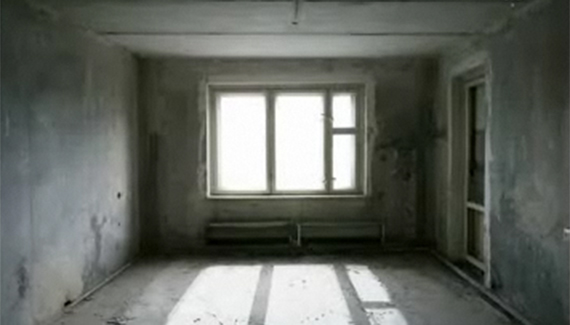
i like the tutorials and i thought you should see this. when i looked at the video i recognized the photo you were using and wondered why. i found out why. one of the bands i listen to used it for their album cover. http://mediapix.ru/pics/6baf3e96b07d98b70780fc8cfe22720f.jpg
Pingback: 56 Absolutely Brilliant and Intriguing Photoshop Video Tutorials | Photoshop Tutorials
Pingback: 56 Absolutely Brilliant and Intriguing Photoshop Video Tutorials | huibit05.com
Pingback: 56 Absolutely Brilliant and Intriguing Photoshop Video Tutorials « Photoshop.vn – Your Design Resource
Pingback: 56 Absolutely Brilliant and Intriguing Photoshop Video Tutorials | Download E-Books Free Video Training Courses Softwares
Pingback: 56 Absolutely Brilliant and Intriguing Photoshop Video Tutorials | Lunch Time Laugh
Pingback: Brilliant and Intriguing 50+ Photoshop Video Tutorials | oOrch Blog
Pingback: 56 Absolutely Brilliant and Intriguing Photoshop Video Tutorials | MEN blog . net
Pingback: NamrouD | Upgrade Your Mind ! » 56 Absolutely Brilliant and Intriguing Photoshop Video Tutorials
Pingback: 56 Absolutely Brilliant and Intriguing Photoshop Video Tutorials | Digitalize Blog
Hey Corey..tried it several times and Paste is always grayed out..wonder what I’m doing wrong? I’m using CS5 extended.
Thanks,
Don
Figured it out! Paste is grayed out but command-v still loads it!
Omg, thanks a bunch, I didnt even know that Photoshop had that function and its exactly what I was looking for!
sad day I cant see the top of your screen helps if the top is visable to me a little OCD for me
Pingback: 56 Absolutely Brilliant and Intriguing Photoshop Video Tutorials | ent-spa


