Another great tutorial, Corey. Luminosity can give a really interesting interaction as well when you want the texture / pattern but not the color. Depends on the image though.
Love the free tutorials. I was surprised that the quality of the videos were grainy when expanded. I’m surprised your not using Brightcove or some other type of video hosting service so things could be high quality. All in all I’m definitely a fan of what you do here on the site and I appreciate the tuts. thanks
That JW Player thing you’re using is screwing up on my Mac if I choose Full Screen mode. It’s cutting off the left & right side of the image in fullscreen — probably (falsely) assuming I have a widescreen monitor. (My monitor is actually the old-fashioned 4:3 ratio, which I prefer.) Or maybe it’s confused because I have a two-monitor setup. Anyway I never have this problem with the regular Adobe Flash player in fullscreen mode.
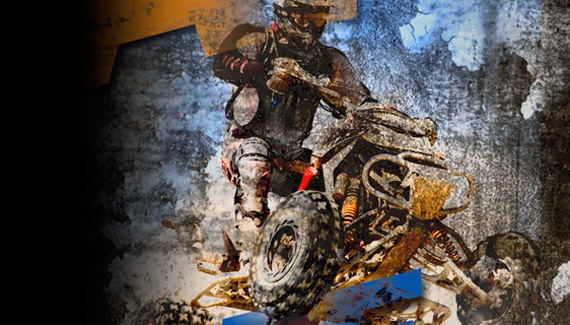



Very cool effect Corey, will have to experiment with this technique.
YOU ROCK!!! Thanks again for a great tutorial – very nice result!!!
These tuts are consistently great!
Corey I’m going to buy one of your dvd’s!
Thanks for helping to enhance the creativity of your loyal following.
Hi Corey – Love the site and the tuts by the way… Any chance you could do a tutorial on creating product studio backgrounds? Thanks man.
Awesome tut Corey. I’ve learnt so much from these vids. Something to try out when im bored at college, THANK YOU!
3rd Comment! 😀 Woo hehehehhehehe thanks for the tut corey! very very cool effect. I’ve learned so much 😉 😉 😉 mmmmm
Again ! again ! sir corey my idol. Another amazing tut. Thanks
Another stunningly excellent tutorial! Corey never fails to impress.
Another great tutorial, Corey. Luminosity can give a really interesting interaction as well when you want the texture / pattern but not the color. Depends on the image though.
This tutorial is one of the most awesome ones you ever made!
I never thought/knew about all those different blending methods and theire usage…
Thank you so much for this just-unbelivable-awesome tut!
your’s talent!
Create someone person’s talent!
Thanks…..
exceptional instructions
Great Job Corey,
I have one ? where r u getting all of ur textures at for ur tuts
Real wizzard you are, i’ll give u that
Love the free tutorials. I was surprised that the quality of the videos were grainy when expanded. I’m surprised your not using Brightcove or some other type of video hosting service so things could be high quality. All in all I’m definitely a fan of what you do here on the site and I appreciate the tuts. thanks
That JW Player thing you’re using is screwing up on my Mac if I choose Full Screen mode. It’s cutting off the left & right side of the image in fullscreen — probably (falsely) assuming I have a widescreen monitor. (My monitor is actually the old-fashioned 4:3 ratio, which I prefer.) Or maybe it’s confused because I have a two-monitor setup. Anyway I never have this problem with the regular Adobe Flash player in fullscreen mode.
good job…!
è¦æ˜¯æœ‰ä¸æ–‡çš„讲解就完美了ï¼