Uncategorized Cool Comic for Photographers If you ever want to get a good chuckle then take a moment to check out this new comic strip called What the Duck! I ... January 12, 2007 0
Quick Tips Accessing Grayed-Out Filters In CMYK One of the bad things about converting from RGB mode to CMYK mode (under the Image menu) is that many of Photoshop’s coolest filters can ... January 11, 2007 2
Quick Tips Troubleshooting Actions? Slow Down! If you’re an advanced user, chances are you’re no stranger to using actions, and in fact, you probably create your own (rather than using the ... January 10, 2007 0
Uncategorized The New iPhone!!! Ok, so this is not a Photoshop-related post, but this is just cool. Apple introduced the new iPhone yesterday at the Macworld Conference in San ... January 10, 2007 0
Quick Tips Have Photoshop Select The Shadows And Highlights This is a trick we use for prepress and for photo retouching because it instantly lets you select all the shadow areas (or highlight areas ... January 9, 2007 3
Uncategorized The Darkroom Cometh!! Well if you haven’t heard, all of us here at the National Association of Photoshop Professionals are gearing up to release a new publication that ... January 9, 2007 0
Quick Tips Visual Control Over Your Selections Using Quick Mask Did you know that you can use Quick Mask mode to expand or contract your selections visually? Here’s how: Create a selection (using any of ... January 8, 2007 0
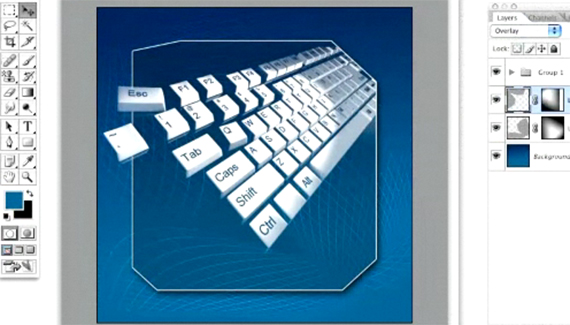
PhotoshopVideos Distorted 3D Grid Quick technique for creating a distorted 3D grid that can be used as a background design element. Aaron Westgate January 5, 2007 3